

In this blog, our senior consultant, Palak Sethia, has talked about common vulnerabilities of JWTs (JSON Web Tokens) and wants to share a walkthrough of the Certified API Pentester Mock Exam from PentestingExams.
JSON Web Tokens (JWTs) have become the standard for stateless authentication in modern microservices and distributed applications. They offer significant performance benefits by allowing servers to verify identity without database lookups. However, their flexibility often leads to improper implementation, creating critical security loopholes.In this post, we explore the architecture of JWTs, analyze common vulnerabilities, and provide a step-by-step walkthrough of the Certified API Pentester Mock Exam to demonstrate a real-world exploit.
The Risk: JWTs are often trusted blindly by backends. If signature validation is weak or keys are exposed, attackers can forge identities.
Common Attacks: These include the “None” algorithm bypass, key injections via the kid parameter, and Algorithm Confusion.
The Solution: Proper validation of the signature, algorithm, and claims is non-negotiable.
A JWT is a compact, URL-safe means of representing claims to be transferred between two parties. It consists of three parts separated by dots (.): the Header, the Payload, and the Signature.
Here is a standard decoded JWT:
// 1. Header (Algorithm & Token Type)
{
  "alg": "HS256",
  "typ": "JWT"
}
// 2. Payload (Data/Claims)
{
  "sub": "1234567890",
  "name": "John Doe",
  "iat": 1516239022,
  "role": "user"
}
// 3. Signature
// HMACSHA256(base64UrlEncode(header) + "." + base64UrlEncode(payload), secret)Since JWTs are stateless, applications read the claims directly from the token without maintaining session data on the server. This approach works well in distributed or microservice environments. However, weak signing keys, poor validation, incorrect algorithm handling, and exposed keys can all lead to critical vulnerabilities.
The sections below cover the most common issues and how to test for them.
The core of JWT security testing lies in verifying if the backend properly enforces the token’s integrity. Below are the most prevalent attack vectors.
Weak or incorrect signature handling allows attackers to alter the token’s payload (claims) and potentially escalate privileges. For this reason, claim tampering and signature validation must always be tested together.
These tests verify whether the backend system properly enforces the security measures on the token. Specifically, they check if the backend:
If any check fails, attackers may be able to modify claims or forge their own valid tokens.
The payload contains the crucial claims about the user. Begin by editing these claims and observing the server’s response. A vulnerable server that fails to validate the signature will process your changes, leading to privilege escalation.
| Attack Type | Original Claim | Test Value | Goal |
| Modifying Roles | “role”: “user” | “role”: “admin” | Gain administrator access. |
| IDOR | “user_id”: 101 | “user_id”: 1 | Access another user’s account (often the first, highest-privileged user). |
| Mass Assignment | No claim present | “isAdmin”: true | Test if the backend blindly processes unexpected parameters. |
Key Takeaway: If the application accepts any of these modified tokens, it is failing to validate the signature correctly.
These tests determine if the signature verification logic can be tricked or skipped entirely.
Change the signature value to a random string and resend the token. A secure server must reject any token where the signature does not match the computed hash of the header and payload.
Reference: For advanced testing, look up CVE-2022-21449 (Psychic Signature), which reveals how weak pseudo-random number generation (PRNG) in some implementations can allow signature forgery.
For HS256 (symmetric) tokens, test for common or simple secrets, as a weak key allows an attacker to sign their own valid tokens.
This is a critical test where the server trusts the algorithm specified in the header.
If the server accepts the token, it means the algorithm is not properly enforced, as it used the public key (which you know) as the secret.
The kid (Key ID) header value is sometimes used by applications to locate the signing key from a file path, database, or key store. If this key lookup process is not handled safely, it may allow injection attacks.
If the kid value is used to look up a file path, testing for directory traversal can expose sensitive files:
| Attack Type | Example kid Payload (Decoded) | Goal |
| Path Traversal | “kid”: “../../../../etc/passwd” | Expose sensitive system files. |
| Directory Listing | “kid”: “/etc/” | List the contents of a directory. |
| Arbitrary Kid | “kid”:”../../Keylocation” “kid”:”https://attacker.com/key.pem” | Using attacker generated key for JWT forging |
If the kid value is used to look up a file path, testing for directory traversal can expose sensitive files:
If the kid value is used in a database query to retrieve the key, an injection can bypass the lookup logic:
| Attack Type | Example kid Payload (Decoded) | Goal |
| SQL Injection | “kid”: “1′ OR ‘1’=’1” | Force the query to return the first (or all) signing keys. |
| NoSQL Injection | “kid”: {“$ne”: null} | Bypass filtering and retrieving keys. |
Conceptual Backend Query (Vulnerable): SELECT * FROM keys WHERE id = ‘YOUR_KID_VALUE’;
If a signing key leaks, attackers can produce valid tokens with any claims they choose, completely compromising the authentication system.
Review how the application exposes or stores its signing keys. Look for:
Replay testing checks if the backend accepts the same JWT repeatedly without validating its state (i.e., whether it has been used or revoked, or if its “not before” or “expiry” times are respected).
If an API accepts repeated requests with the same token (especially after events like logout or password change), an attacker may reuse captured tokens to perform actions without re-authentication, bypassing time-based controls or session invalidation mechanisms.
The following tools are useful for decoding, modifying, and testing JWTs:
To put these testing concepts into practice, let’s walk through the solution for the Certified API Pentester Mock Exam from PentestingExams. This single, one-hour challenge focused entirely on exploiting a JWT vulnerability for privilege escalation.
The full syllabus for the exam is listed on the main certification page:https://pentestingexams.com/product/certified-api-pentester/
Here is the exam link: https://pentestingexams.com/mock-pentesting-exams/
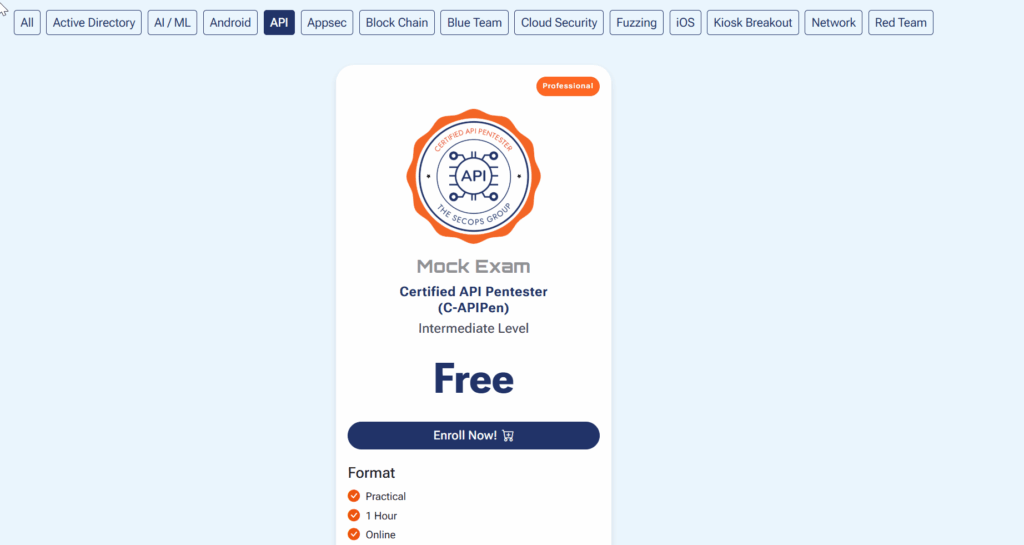
The full syllabus for the exam is listed on the main certification page: https://pentestingexams.com/product/certified-api-pentester/
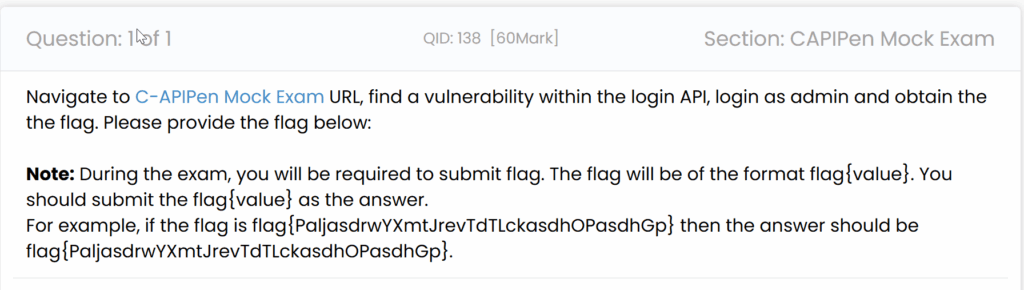
After opening the exam portal, the question gave us a link to the API mock exam. We knew our objective: log in as admin and fetch the flag. Only one question and one API to test in 1 hour – sounds easy, right?
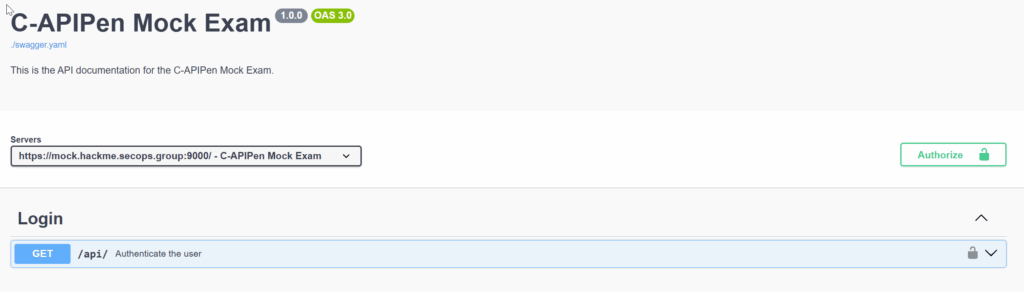
When we clicked the reference link, we were redirected to a standard Swagger documentation interface.
Inside Swagger, we clicked the Authorize button.
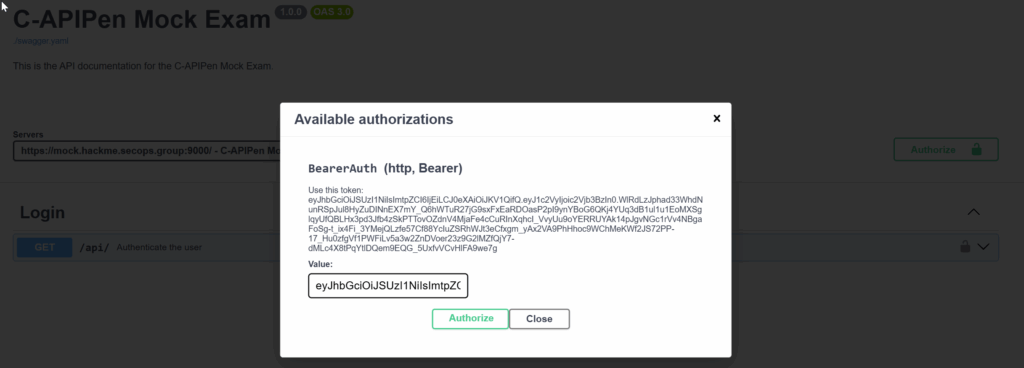
Here, we already received a valid user token, which we could immediately use to make requests.
Using Swagger to test the API showed that we received a successful response from the server, confirming the token was valid for the secops user.
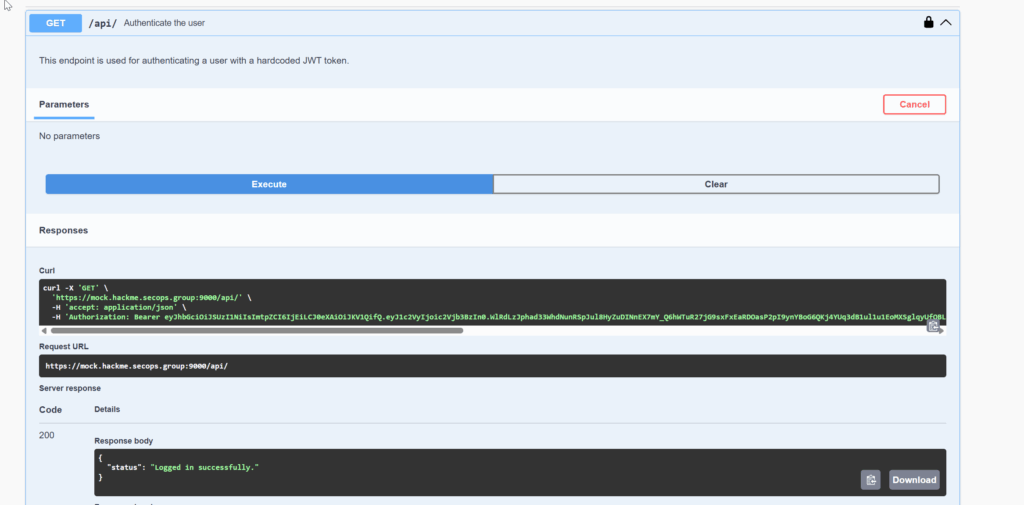
Next, we sent the request to Burp Suite Repeater to check if we could extract more information.
In the response headers, we observed the server technology: (Image and step can be removed)
Of course, we could check for CVEs, but since this was an API pentesting exam, we focused on API logic flaws and skipped checking general server CVEs.
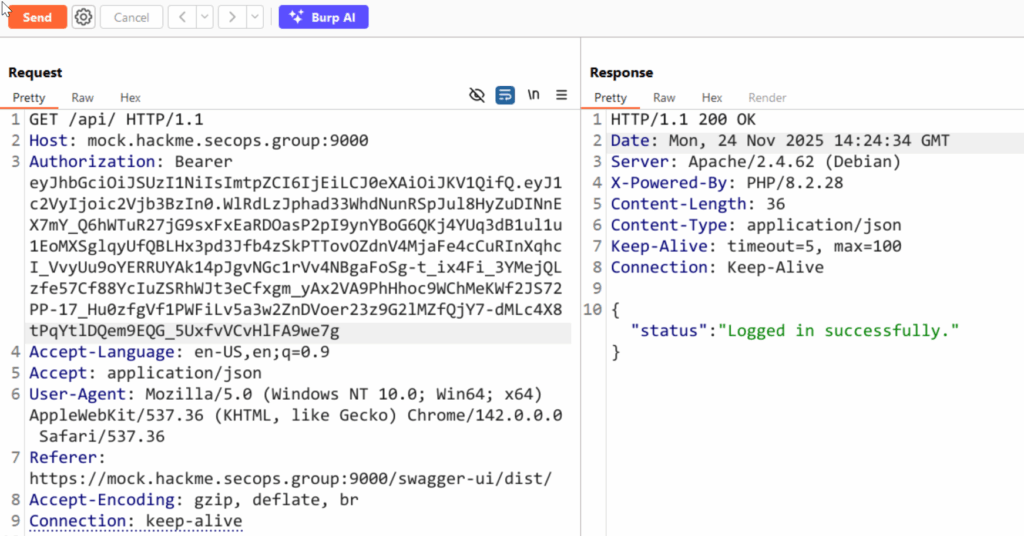
I copied the token into jwt.io to inspect its header and payload.
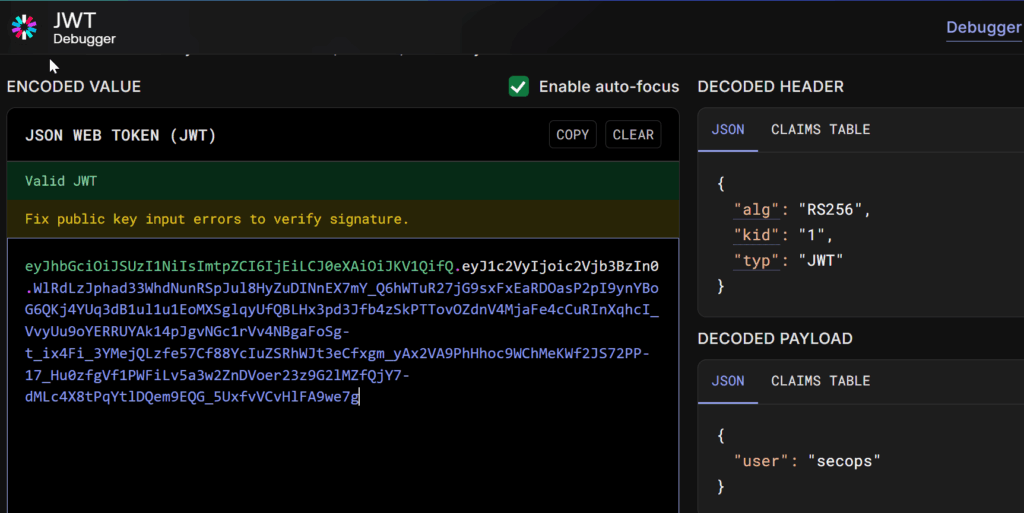
My first thought was: “Let me just change the payload from secops to admin and get a quick win.” 😉
But sadly, the API immediately returned: “status”: “Invalid Token”.
This confirmed the critical security requirement: to become an admin, we would need to forge a valid token signature, meaning we needed the private key. However, the Swagger docs offered no further clues.
We attempted many common JWT misconfigurations, including:
None of these classic bypasses worked, suggesting a more subtle flaw was present.
One advanced attack we hadn’t tried yet was Algorithm Confusion. For this, we needed the server’s public key.
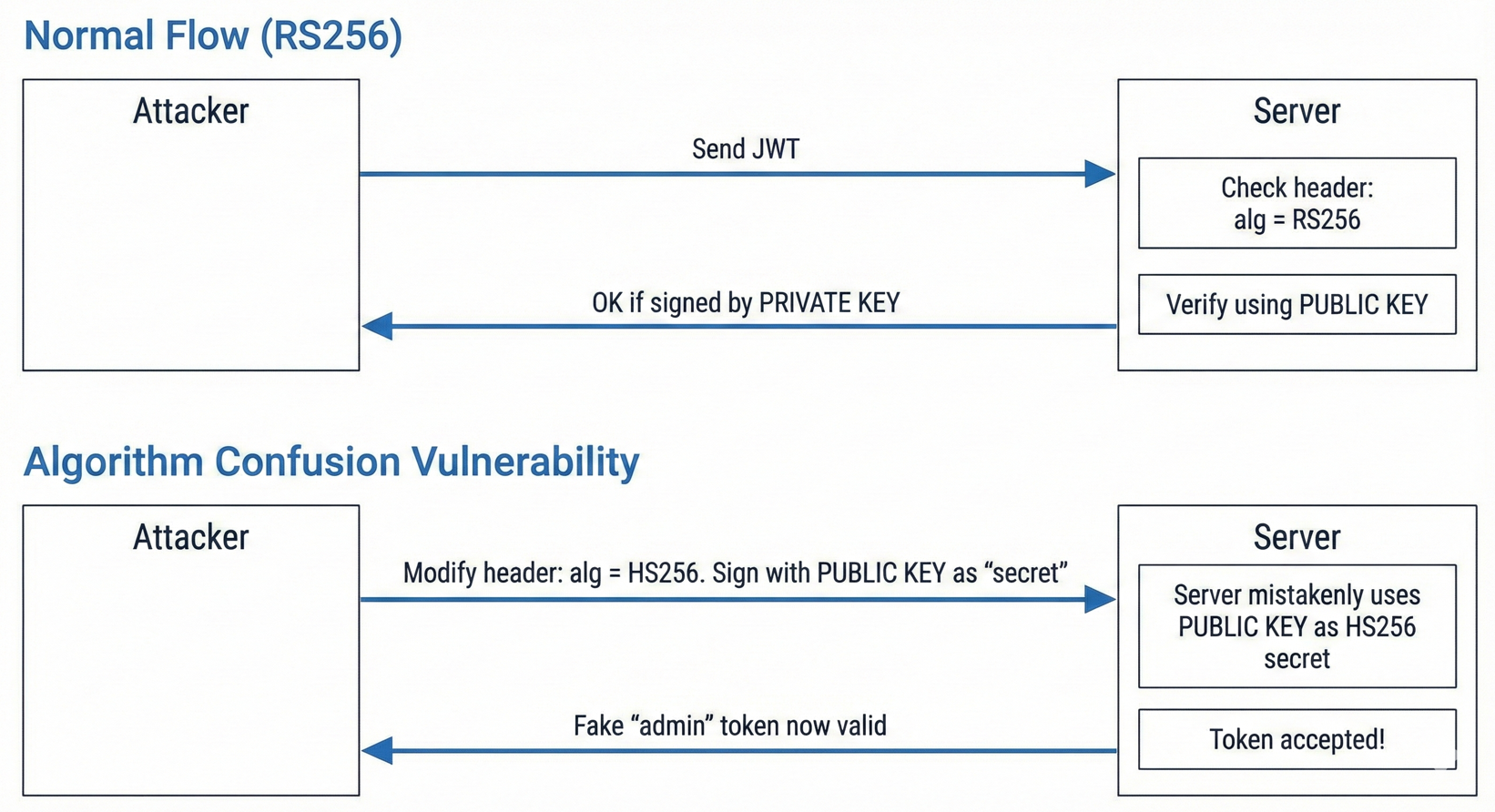
As PortSwigger’s guide explains, this attack leverages servers that mistakenly use the public key as the symmetric secret when the token header is switched from RS256 to HS256.
Following the Portswigger’s guide, I checked the well-known endpoint and found the public key.
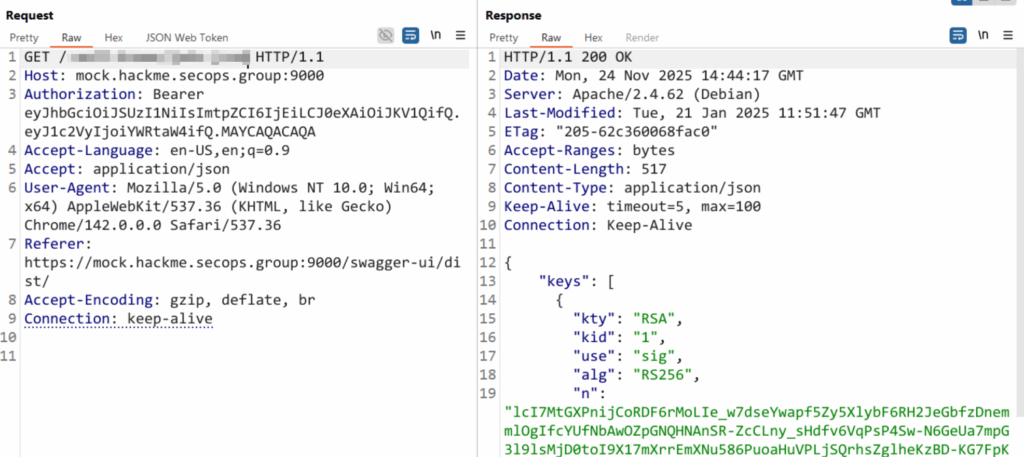
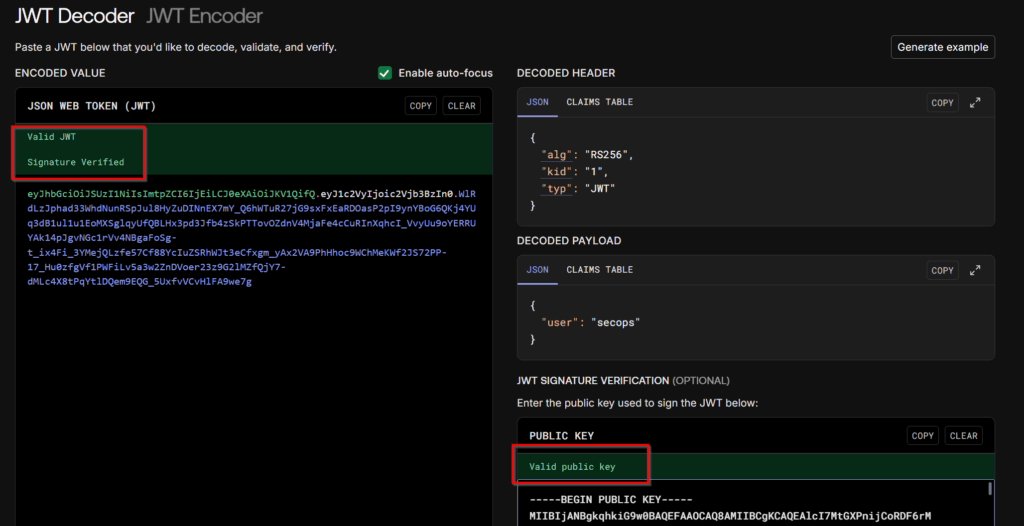
Next, I needed to prepare the public key. I used CyberChef to convert the raw public key into a clean string, and verified it against the original JWT signature to ensure it matched the key used for verification.
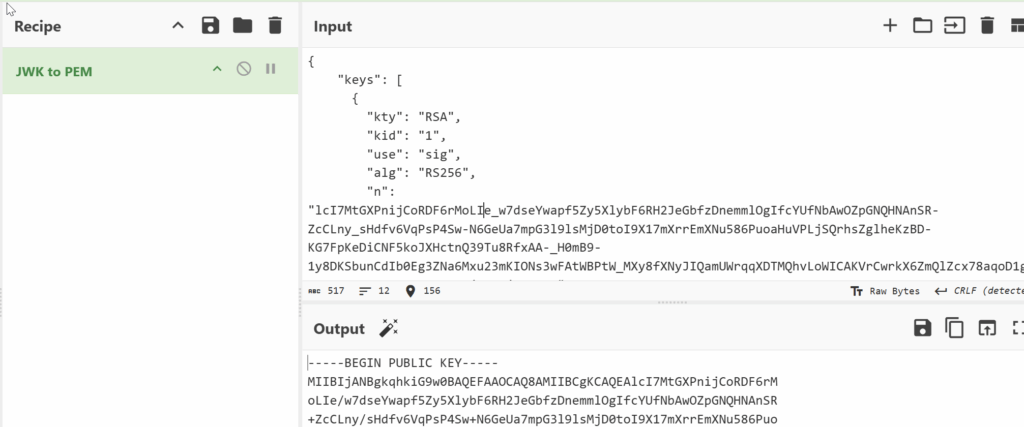
The public key was successfully verified against the user’s (secops) token.
Now the trick was simple: We created a new JWT with user = admin, but signed it using the server’s public key as the HS256 secret. This works because of the server’s algorithm confusion vulnerability.
I used jwt.io to build the admin token. We ensured we removed the newline characters and the header/footer from the public key before using it as the secret.
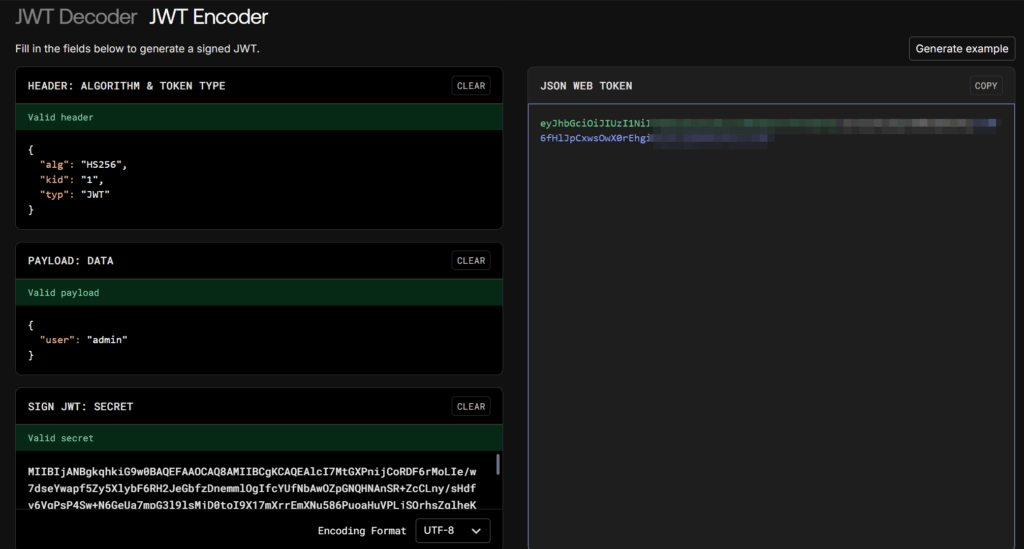
After sending the new admin token through Burp Suite, the API finally returned the flag – and also a discount! 😄
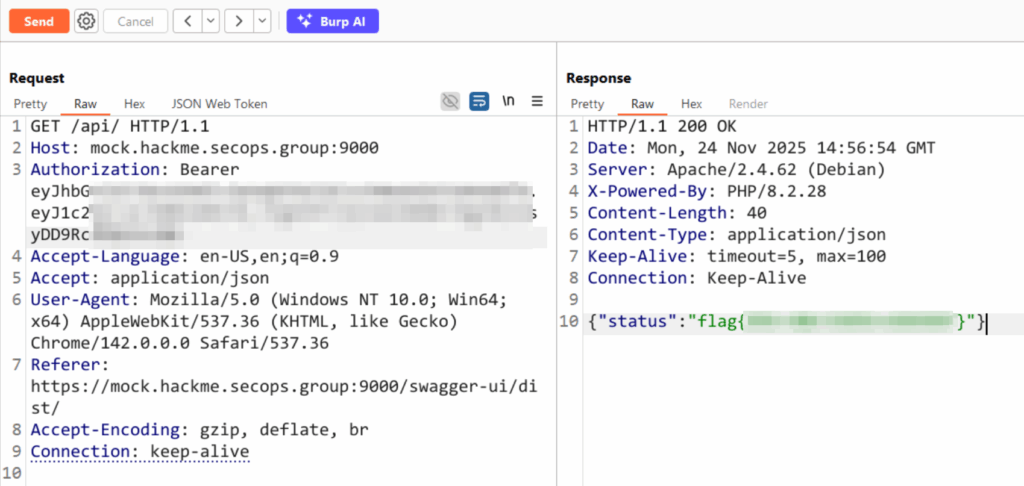
This walkthrough highlights that JWTs are only as secure as their implementation. While the secops user had limited permissions, a simple configuration oversight – allowing the server to accept HS256 tokens when it was designed for RS256 – led to a complete system compromise.